- Разработчик
- Shinyflvres
- Издатель
- Shinymoon
- Дата выхода
- 27 января 2026
- Платформы
- Windows
- Язык
- Без русского, 1 язык
- Steam
- страница игры
Купить Yappl со скидкой
Выберите издание и вариант покупки. Регион и способ активации указаны у каждого варианта.
Нет в наличии: 1
Купить Yappl можно от 82 ₽: 1 вариант от 1 продавца, регионы активации: RU.
Обучение Работе С По, Утилиты от Shinyflvres 2026 года. После оплаты ключ приходит сразу и активируется в Steam.
Подробнее: цена Yappl по регионам Steam · системные требования · издания · лучшие обучение работе с по
График изменения цены
Наша минимальная цена стандартного издания по дням.
Собираем историю: первая точка появится после ближайшего обновления цен.
Видео и скриншоты
Об игре
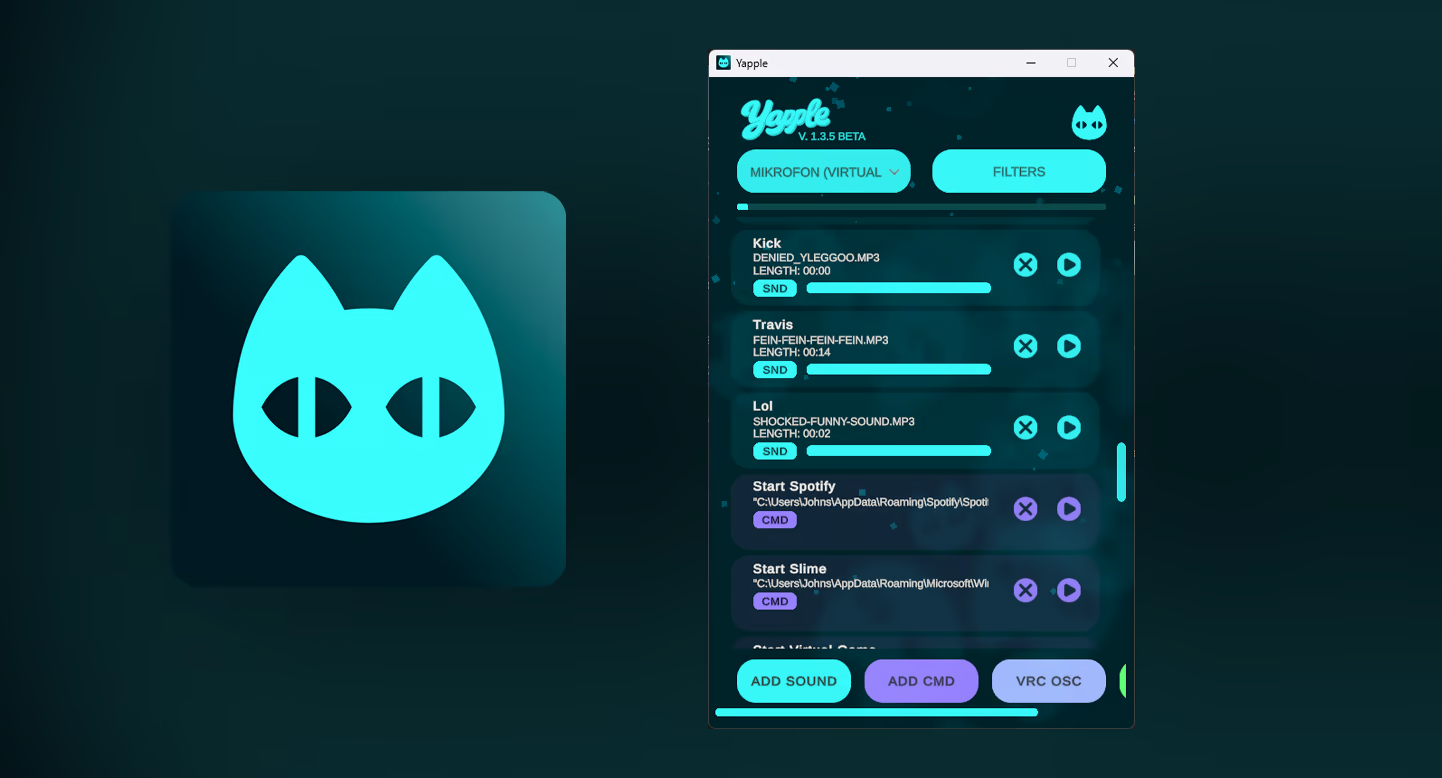
NOTE: Before purchasing YAPPL make sure to read this! — YAPPL currently only Supports US-ENGLISH trigger words. We may add German, Russian, France, Spanish in future Updates but as for now it does only support English words!
Yappl – Offline Voice Command Tool
Yappl is a lightweight, fully offline speech-to-text voice command application for Windows.
It executes actions based on trigger words or short trigger sentences you speak.
No cloud. No internet connection.
Optimized for fast and reliable trigger response times.
Features
Yappl supports four command types:
-
Soundboards
-
Windows Commands (CMD)
-
VRChat OSC
-
Keybinds
Designed to be resource-friendly and suitable for gaming, VR, and streaming setups.
Soundboards
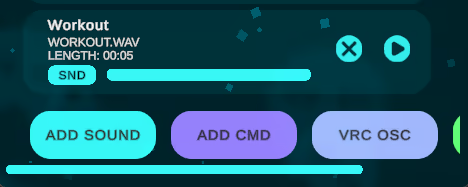
Add audio files and play them instantly using your voice.
Supported formats:
-
mp3
-
ogg (Vorbis only)
-
wav
Each sound can be assigned a trigger word or trigger sentence
minimum 1 word, maximum 4 words.
Example:
Trigger word: Workout
File: WORKOUT.wav
Saying “Workout” will play the sound.
Yappl can be combined with tools like Voicemeeter, allowing others in Discord, VRChat, or games to hear the audio.
Stop Sound (System Command)
Yappl includes a built-in safety feature that allows you to immediately stop audio playback.
Example trigger: Stop Sound
This is useful for long sounds or accidental triggers.
Windows Commands (CMD)
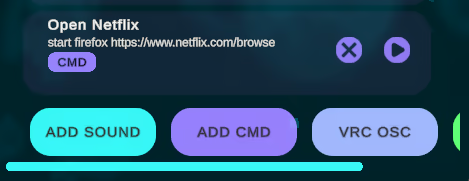
Run standard Windows commands using your voice.
Example:
Trigger: Open Netflix
Command:
start firefox
This will launch Firefox and open Netflix automatically.
Possible use cases:
Open applications
Run scripts
File management
Automation workflows
Warning:
Only use safe commands. Avoid destructive or dangerous commands that could be triggered unintentionally by speech recognition.
VRChat OSC
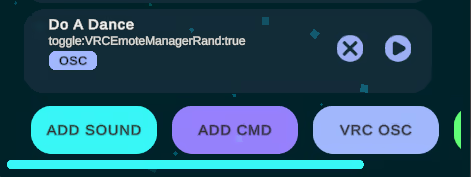
Control Bool parameters on your VRChat avatar via OSC.
Example:
Trigger: Do A Dance
Parameter:
toggle:VRCEmoteManagerRand:true
Speaking the trigger will play a random dance animation.
Use cases:
Clothing toggles
Weapons
Particle effects
Any bool-based animator logic
Prefix system
Normal:
UseWeapon:true
UseWeapon:false
Toggle:
toggle:UseWeapon:true
Toggles the value each time it is triggered.
Trigger (Contacts):
trigger:UseWeapon:true
Sets the value to true for about 1 to 1.5 seconds and then automatically resets it to false.
This is required for VRChat Contacts, which expect temporary bool activation.
Keybinds
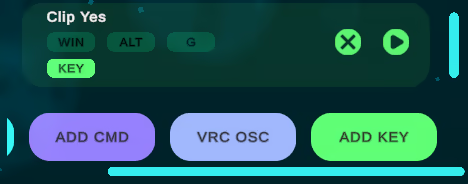
Assign keyboard shortcuts to voice commands.
Example:
Trigger: Clip Yes
Keybind:
WIN + ALT + G
Saying “Clip Yes” will trigger the Windows 30-second clip recording feature.
Important notes:
Do not press any keys while a voice command is executing
Pressing keys at the same time may cause Windows to misfire the shortcut
Системные требования
- ОС: Windows 11
- Процессор: Ryzen 3 XXXX
- Оперативная память: 4 GB ОЗУ
- Видеокарта: GTX 7XX
- DirectX: версии 12
- Место на диске: 512 MB
- Звуковая карта: Generic Soundcard
- Поддержка VR: SteamVR Overlay Support in future updates.
- Дополнительно: Windows 10 is supported but not tested.
- ОС: Windows 11
- Процессор: Ryzen 5 XXXX
- Оперативная память: 8 GB ОЗУ
- Видеокарта: GTX 10XX
- DirectX: версии 12
- Место на диске: 512 MB
- Звуковая карта: Generic Soundcard
- Поддержка VR: SteamVR Overlay Support in future updates.
- Дополнительно: Windows 10 is supported but not tested.
Поддерживаемые языки
| Язык | Интерфейс | Озвучка | Субтитры |
|---|---|---|---|
| английский |
Вопросы и ответы
Сколько стоит Yappl?
Сейчас минимальная цена 82 ₽ — первая строка в таблице выше. Доступно 1 вариант покупки, цены обновляются несколько раз в день.
Ключ Yappl подойдёт для российского аккаунта Steam?
Игра продаётся в Steam для России, поэтому подходят ключи с регионом RU, СНГ и глобальные без региональных ограничений.
Чем ключ отличается от гифта?
Ключ активируется в клиенте Steam через «Игры → Активировать в Steam». Гифт отправляет продавец через список друзей, для этого нужно добавить его в друзья и принять подарок.
Новости и обновления
Из официального хаба Steam.
Отзывы покупателей
Отзывов пока нет. Играли? Напишите первым.
Похожие игры
 −32% Топ-100
Wallpaper Engine
Анимация и моделирование · Дизайн и иллюстрация
−32% Топ-100
Wallpaper Engine
Анимация и моделирование · Дизайн и иллюстрация
 Soundpad
Работа со звуком · Утилиты
200 ₽
Soundpad
Работа со звуком · Утилиты
200 ₽
 Топ-100
OBS Studio
Создание видео · Утилиты
Бесплатно
Топ-100
OBS Studio
Создание видео · Утилиты
Бесплатно
 −62% Топ-100
Crosshair X
Инди · Обучение работе с ПО
−62% Топ-100
Crosshair X
Инди · Обучение работе с ПО
 3DMark
Утилиты
685 ₽
3DMark
Утилиты
685 ₽
 Desktop Mate
Анимация и моделирование · Бесплатные
Бесплатно
Desktop Mate
Анимация и моделирование · Бесплатные
Бесплатно
Оставить отзыв