- Разработчик
- Adosoft Interactive
- Издатель
- Adosoft Interactive
- Дата выхода
- 14 августа 2026
- Платформы
- Windows
- Язык
- Без русского, 1 язык
- Steam
- страница игры
Купить Game in Picture со скидкой
Выберите издание и вариант покупки. Регион и способ активации указаны у каждого варианта.
Нет в наличии: 1
Купить Game in Picture можно от 180 ₽: 1 вариант от 1 продавца, регионы активации: RU.
Утилиты от Adosoft Interactive 2026 года. После оплаты ключ приходит сразу и активируется в Steam.
Подробнее: цена Game in Picture по регионам Steam · системные требования · издания · лучшие утилиты
График изменения цены
Наша минимальная цена стандартного издания по дням.
Собираем историю: первая точка появится после ближайшего обновления цен.
Видео и скриншоты
Об игре
Game in Picture (GiP) is a picture-in-picture desktop companion app built for players who frequently switch contexts. Instead of losing awareness when you Alt+Tab, GiP keeps a live view of your game visible in a compact overlay so you never miss the action. With manual source controls, audio management, process freezing for single-player games, and customizable themes, GiP makes interruptions less punishing and helps you return to the action faster with fewer missed moments.
Your game, your rules!
GiP is designed for games running in Borderless Fullscreen (also known as Windowed Fullscreen).
Four ways GiP can help
GiP keeps your game within reach when you step away from full-screen play.
 Pause When You Need To
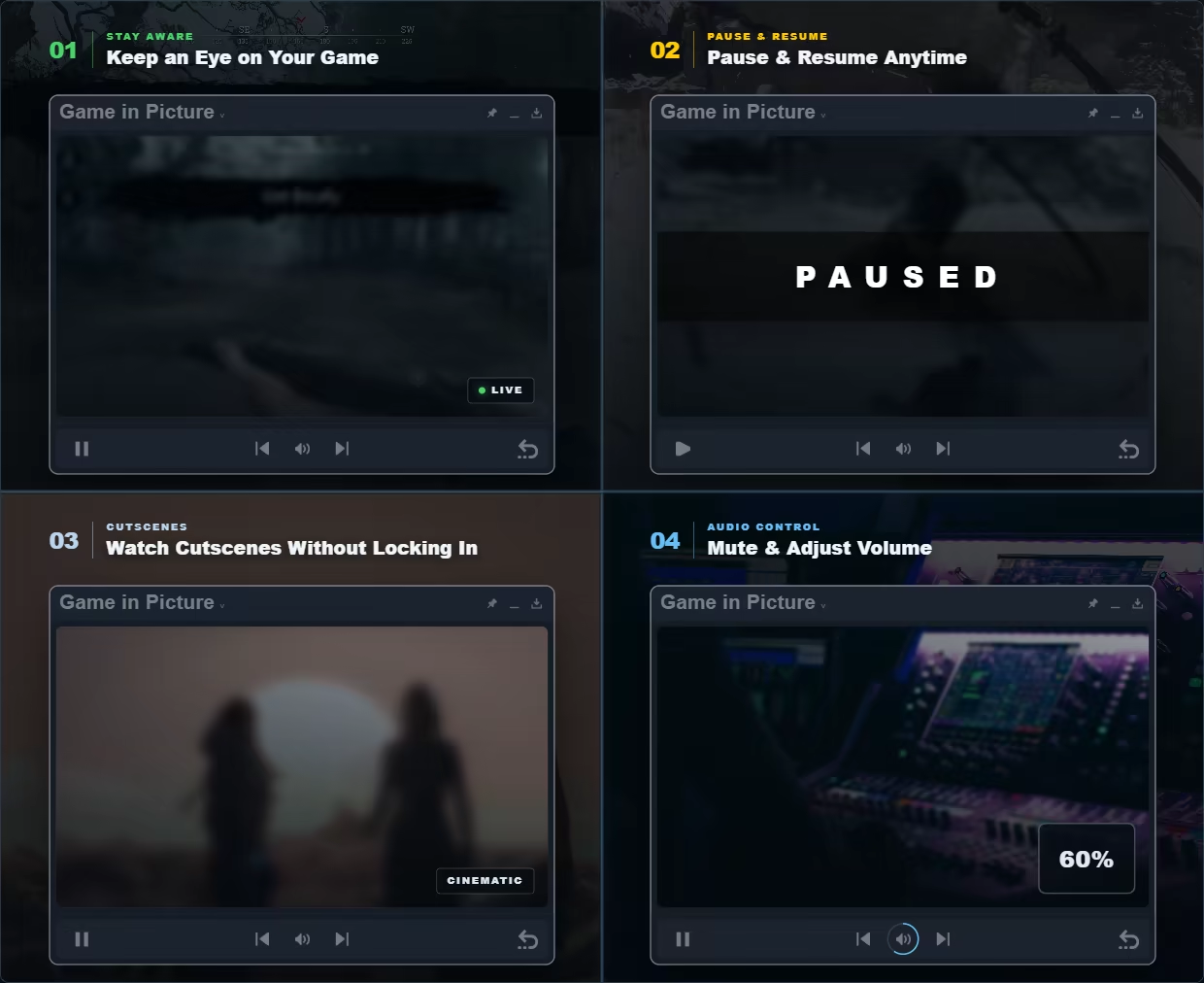
Pause and resume supported single-player or offline games directly from GiP when you need to step away. Auto-pause can be enabled separately for each game, allowing GiP to pause it when you leave fullscreen and resume it when you return. Before pausing software with online capabilities or active network traffic, GiP displays a warning so you can decide whether it is safe to continue.
GiP does not modify memory or touch save data. It does not rely on the game’s built-in pause system. Instead, it temporarily suspends the game process, freezing the game exactly where it is, even if the game has no pause function of its own.
Media and Audio Controls in One Place
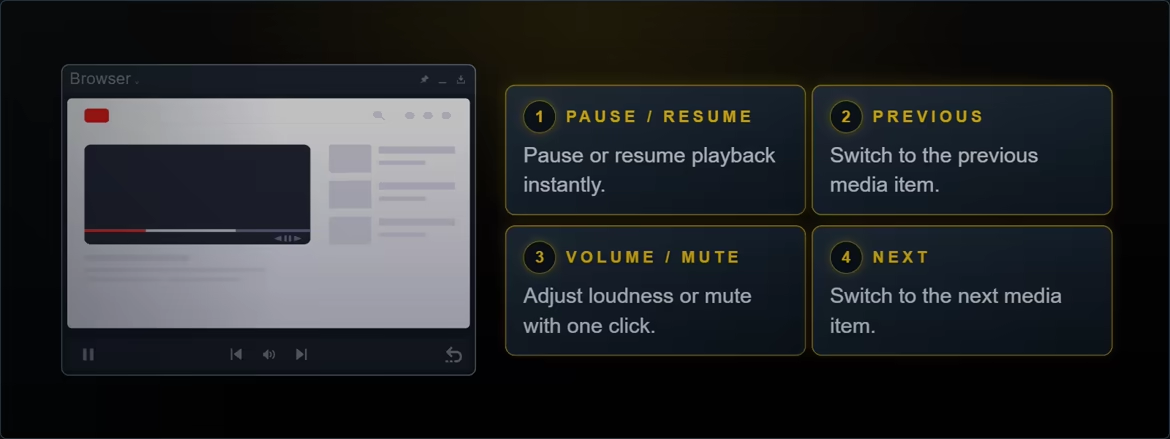
Control the tracked application’s sound without opening the Windows volume mixer. Click the audio control to mute or unmute, then drag around it to adjust volume. Auto-mute can silence the tracked window whenever you switch away and restore its sound when you return. For recognized browsers and media players, GiP also provides play/pause and previous/next commands when the application supports them.
 Manual Source Control
By default, GiP automatically follows the fullscreen window you Alt+Tab away from. When you want tighter control, Explicit Tracking only changes the source when you hold the backtick key while Alt+Tabbing, while Manual Selection lets you choose a specific eligible window from the source list.
Manual Mode
Choose exactly which window GiP follows whenever you want direct control. Switch between your game, a browser, a guide, a video, or another app without rebuilding your overlay, then keep the selected source visible over the fullscreen application you are using.
Pin Mode
Keep GiP visible over fullscreen windows. Move between fullscreen apps while GiP shows the window you switched away from; when using Manual Source Control, your selected source remains fixed.
Themes and Visual Style
Match GiP to the rest of your setup with a selection of visual themes. Each theme updates the interface consistently while preserving clear controls and readable information across different games and desktop environments.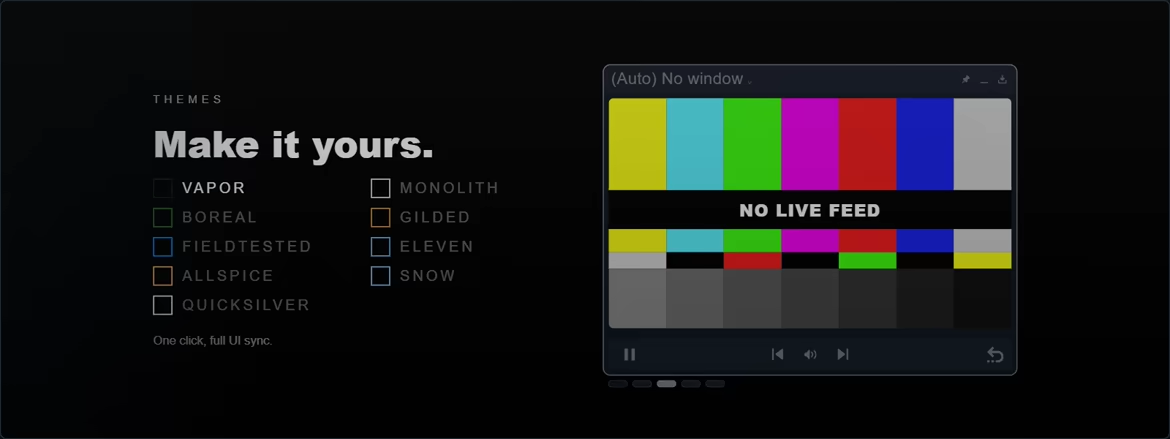
Flexible Overlay Placement
Resize and position GiP to suit your screen, game, and workspace. Keep the overlay locked in a corner, move it wherever it avoids important on-screen information, or use a compact floating layout that stays useful without taking over your display.
Expanded View Mode
Double-click GiP to switch between Normal View and Expanded View. Expanded View gives more of the window to the captured image and keeps surrounding interface elements out of the way. Move the pointer over GiP whenever you need its title bar or controls again. A separate Fullscreen option from the context menu can expand GiP across the entire display.
Tray Integration and Quick Access
Keep GiP available for long sessions without adding unnecessary desktop clutter. Send it to the system tray when it is not needed, restore it quickly, and use convenient tray actions to reach common controls and capture options.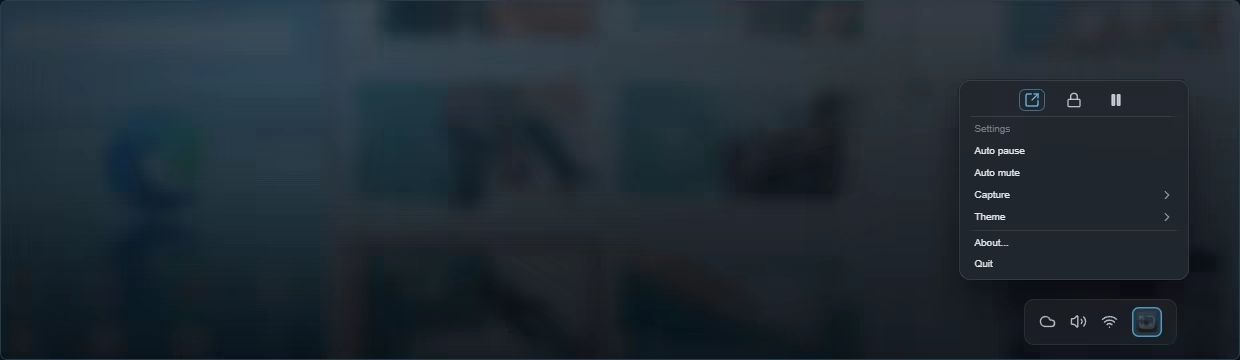
Системные требования
- 64-разрядные процессор и операционная система
- ОС: Windows 10 64-bit, version 1903 (May 2019 Update) or newer
- Процессор: 64-bit dual-core CPU
- Оперативная память: 1024 MB ОЗУ
- Видеокарта: DirectX 11 capable GPU
- DirectX: версии 11
- Место на диске: 500 MB
- 64-разрядные процессор и операционная система
- ОС: Windows 11
- Процессор: 64-bit quad-core CPU
- Оперативная память: 2048 MB ОЗУ
- Видеокарта: Dedicated DirectX 11 capable GPU
- DirectX: версии 11
- Место на диске: 1024 MB
Поддерживаемые языки
| Язык | Интерфейс | Озвучка | Субтитры |
|---|---|---|---|
| английский | — |
Вопросы и ответы
Сколько стоит Game in Picture?
Сейчас минимальная цена 180 ₽ — первая строка в таблице выше. Доступно 1 вариант покупки, цены обновляются несколько раз в день.
Ключ Game in Picture подойдёт для российского аккаунта Steam?
Игра продаётся в Steam для России, поэтому подходят ключи с регионом RU, СНГ и глобальные без региональных ограничений.
Чем ключ отличается от гифта?
Ключ активируется в клиенте Steam через «Игры → Активировать в Steam». Гифт отправляет продавец через список друзей, для этого нужно добавить его в друзья и принять подарок.
Новости и обновления
Из официального хаба Steam.
Отзывы покупателей
Отзывов пока нет. Играли? Напишите первым.
Похожие игры
 −32% Топ-100
Wallpaper Engine
Анимация и моделирование · Дизайн и иллюстрация
−32% Топ-100
Wallpaper Engine
Анимация и моделирование · Дизайн и иллюстрация
 Soundpad
Работа со звуком · Утилиты
200 ₽
Soundpad
Работа со звуком · Утилиты
200 ₽
 Топ-100
OBS Studio
Создание видео · Утилиты
Бесплатно
Топ-100
OBS Studio
Создание видео · Утилиты
Бесплатно
 −62% Топ-100
Crosshair X
Инди · Обучение работе с ПО
−62% Топ-100
Crosshair X
Инди · Обучение работе с ПО
 3DMark
Утилиты
685 ₽
3DMark
Утилиты
685 ₽
 Desktop Mate
Анимация и моделирование · Бесплатные
Бесплатно
Desktop Mate
Анимация и моделирование · Бесплатные
Бесплатно
Оставить отзыв